

Login and users
- Create an account and log in with a username and password.
- Each user has separate books. Log out from the top bar.
- Data is saved in your browser only.
Entering transactions
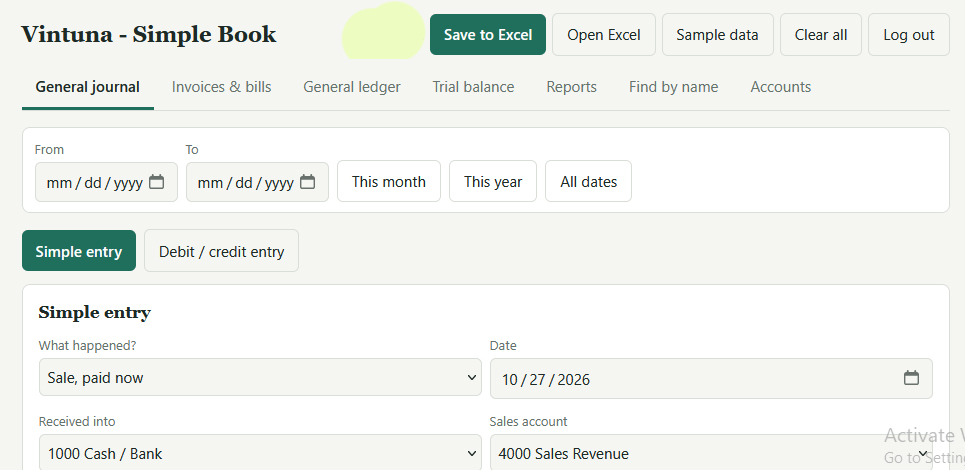
- Simple entry: pick what happened (sale paid or on credit, customer pays us, expense paid or on credit, we pay a bill, owner puts in or takes money). The page makes the debit and credit lines for you.
- Debit / credit entry: the full journal form with as many lines as you need. Save only works when debits equal credits.
- Optional fields on every entry: person name, company, and a reference such as an invoice or order number.
- Edit or delete any entry from the journal list.
- Sample data button and Clear all button.
Books and reports
- General journal: all entries, newest first.
- General ledger: entries posted to each account automatically, with running balances and a “Balance brought forward” line when you filter by date.
- Trial balance: totals for each account, a check that debits equal credits, a profit or loss line, and a Print button.
- Income statement and balance sheet on the Reports tab.
- Date filter: From and To dates with quick buttons for this month, this year and all dates.
Invoices and bills
- Create an invoice (a customer owes you) or a bill (you owe a supplier), with a due date.
- The page makes the journal entry and numbers it, for example INV-001 or BILL-001.
- Record full or part payments. Status shows Unpaid, Part paid, Paid or Overdue.
- Overview of money owed to you and by you, plus lists of customers who owe you and suppliers you owe.
Find by name
- Search by person or company to see every entry and totals by account.
Tax
- Optional tax rate % on sales, expenses, invoices and bills.
- A sales tax / VAT summary showing tax collected, tax paid, and what you owe or are due back.
Setup and control
- Accounts tab: a ready chart of accounts for a website business. You can add or delete accounts.
- Opening balances for starting in the middle of a year.
- Settings: book or business name, logo image, currency label, and a year lock that stops changes on or before a date.
Excel and backup
- Save to Excel: a file with sheets for Journal, Ledger, Trial Balance, Income Statement, Balance Sheet, Invoices and Accounts.
- Open Excel: restores your books from a file saved by this program.
- A backup reminder appears if you have not saved to Excel for 7 days.
Your link will be available in:
20
Please wait 20 seconds…